


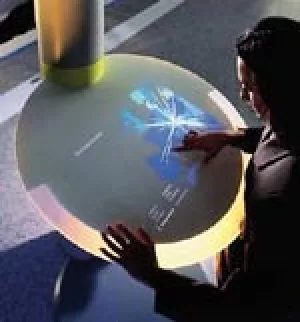
If you stumbled upon the promotional video for Microsoft’s “Mira” project on their website, you likely felt like you’d stepped onto a movie set. It looked less like a product demo and more like a scene from a sci-fi thriller. The clip shows a user working at a desktop PC with a standard TFT display. That part is boring. It’s what happens next that makes you sit up straight.
A colleague stands up. He picks up the monitor. He walks away.
The screen stays on. It follows him through the house. He doesn’t just carry it; he uses it. With a digital stylus, he taps and types directly on the touch-sensitive surface. The display keeps working, processing inputs in real-time. All those commands travel over a wireless network back to the stationary computer tower. No cables. No tether. Just a display that behaves like a living extension of the desktop.
Touchscreens aren’t exactly new. We’ve lived with them on phones and tablets for years. But this wasn’t a tablet masquerading as a monitor. It was a dedicated wireless display unit designed to decouple the visual interface from the processing power. Microsoft called it Mira. The name implies reflection, or perhaps a mirror image of the work being done elsewhere.
Why Wireless Displays Matter
Most people think of wireless displays as presentation tools. You plug a dongle into your laptop, cast to a TV, and show some slides. That’s not what Mira was aiming for. It was trying to solve a specific friction point in the modern workspace: the rigidity of the desk.
In a traditional setup, your computer is anchored. Your screen is anchored. Your mouse and keyboard are anchored. If you want to collaborate, or just move to a more comfortable spot, you’re stuck. Mira proposed a fluid workflow. You could work at your desk, then walk over to a whiteboard, or a table across the room, and keep working without switching devices or opening different software.
The technology required several layers of innovation. First, the display had to be thin and light enough to carry comfortably. Second, it needed a touch interface that could register inputs with low latency. Third, and most importantly, it needed a robust wireless protocol to handle the data stream of a full desktop environment.
How It Actually Worked
The magic wasn’t in the screen itself. The screen was essentially a dumb terminal with a fancy touch layer. All the heavy lifting—the operating system, the applications, the processing—happened on the main PC. That machine stayed put, plugged into the wall and the network.
The wireless link carried video output, touch data, and input commands from the stylus or finger. Microsoft’s implementation used a proprietary wireless standard to ensure the lag was imperceptible. In a video conference or a design review, that millisecond delay can break the flow. Mira aimed to eliminate that gap.
This setup allowed for a unique kind of flexibility. Imagine a developer debugging code on a large screen while standing. Or a designer sketching out ideas on a portable monitor in the middle of a room, surrounded by collaborators. The physical barrier of the desk disappears.
The Reality Check
Mira never made it to the general public as a consumer product. It remained a research prototype, a glimpse into a “what if” scenario.
For decades, the standard PC setup has been stuck in a rut. You press keys on a plastic board, click a mouse, and stare at a monitor. While processors have doubled in speed and monitors gained resolutions that blur the line between pixel and paint, the input devices haven’t moved much since the 1980s.
This stagnation is strange when you look around. Touchscreens are already the norm elsewhere. Banks use them. Hospitals rely on them. Industrial control panels run entirely on glass interfaces. They are durable, direct, and intuitive. But they are usually fixed in place. They require specialized software drivers that don’t talk to Windows or macOS out of the box. They aren’t meant for general-purpose computing.
Then there is the digital art world. Graphics tablets have been the bridge for years. Artists draw with a stylus on a flat pad, and the lines appear instantly on the monitor. It feels natural. It mimics paper. But most of these setups still demand a mouse. You need the mouse to click menus, scroll web pages, or open folders. The stylus is for creation. The mouse is for navigation.
The market has lacked a true, all-in-one alternative. Something that feels like a screen but acts like a keyboard and mouse. That gap has persisted because integrating touch directly into a standard PC workflow introduces friction. Latency. Accidental touches. Software that isn’t optimized for touch gestures.
The Hybrid Reality
Most users who try to replace their mouse with touch face the same wall. Try editing a document or coding on a touch interface. The precision required is hard to achieve with a finger. You need the fine motor control of a mouse or the pressure sensitivity of a stylus.
This is why the separation of tools persists.
- Fixed Touch Terminals : Built into kiosks or medical devices. Not portable. Not flexible.
- Graphics Tablets : Great for artists. Require a mouse for system navigation.
- Standard PC Peripherals : The 1980s-style keyboard and mouse. Reliable. Precise. But outdated in feel.
The ideal device would merge these. A screen you can touch, draw on, and type on, without needing a separate mouse for basic tasks. Until then, we are stuck with the hybrid model. You touch when you want to point. You pick up the mouse when you want to click. Or you grab the stylus when you want to create.
It’s not seamless. It’s not the future we were promised in the 2000s. But it’s the only thing that works reliably today.
Why hasn’t it changed? Because the ecosystem is fragmented. Software developers prioritize mouse and keyboard shortcuts. Touch support is often an afterthought. And users? They adapt. They learn to live with the clack of mechanical switches and the glide of the mousepad. It’s familiar. It’s functional. Even if it’s boring.
The screen is the interface. The touch is the input. But the gap between them remains. Until software catches up, the mouse will still rule the desktop. Even if it’s old. Even if it’s clunky.