



Every screen you touch relies on a hidden boss.
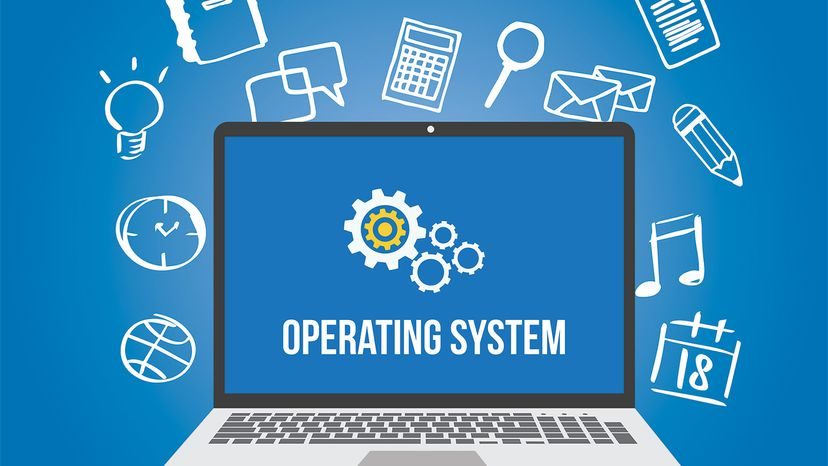
Your phone. Your laptop. That game console gathering dust. They all share one non-negotiable requirement: an operating system (OS). Without it, they are just expensive paperweights.
For decades, the hierarchy has been simple. Microsoft’s Windows dominates the desktop. Apple’s MacOS holds sway over high-end creative work. Google’s Chrome OS has carved out a niche in education and budget hardware. And if you need total control? Linux. It’s open source. It’s customizable to the point of obsession. There is even ChromeOS Flex to breathe new life into rotting old machines.
But these systems are more than just pretty interfaces. They are the general contractors of computing.
Think about what actually happens when you click a file. You aren’t just moving data. You are asking the OS to coordinate chaos. While your word processor handles the typing and your music app plays the track, the operating system is translating those demands into a language the hardware understands. It speaks to the processor. It manages the flow. It keeps the peace.
Most home computers are single-user, multitasking machines. You see one person. One screen. But underneath? It is a frenzy of activity.
Here is where it gets tricky. Your computer isn’t actually multitasking. Not really.
When you are downloading a large file, editing a spreadsheet, and streaming a podcast, it looks like everything is happening at once. It feels like everything is happening at once. But that is an illusion. The central processing unit (CPU) is a harried secretary with a clipboard. It switches between tasks so fast that your brain can’t perceive the gap.
Your programs think they have exclusive access to the processor. The OS knows better. It grants temporary control, then takes it back. It decides who eats first. It decides who waits.
With modern multi-core CPUs, the picture is slightly different. We now have processors with four, six, or even more cores. They can genuinely handle multiple tasks in parallel. But the OS still calls the shots. It prioritizes. It decides which core gets the heavy lifting and which one can nap.
So, why does any of this matter?
Because if you strip away the OS, you strip away the logic.
The hardware doesn’t know what a “folder” is. It doesn’t know what a “browser” is. It only knows electricity and logic gates. Without the operating system to provide structure, memory management, and instruction, the silicon is silent.
What does a computer look like when the contractor walks off the job?
It looks like noise. It looks like potential. It looks like a machine waiting for a soul.
How computers function without an operating system
It feels impossible that a computer could exist without an operating system. We take for granted the layers of software that manage our files, handle network connections, and allow us to switch between apps without thinking. But the earliest machines didn’t have these luxuries. They were massive, single-purpose engines. Operators didn’t write code in a modern editor. They physically plugged and unplugged wires on a plugboard to instruct the machine.
If you strip away the OS, you don’t get a broken computer. You get a very difficult one.
Without an operating system using and enforcing a standard, systematic approach to running the computer, you are on your own. You have to write code that tells the hardware exactly what to do. Want to create a document? You need to write the code that makes the computer respond to every keystroke. Then you need separate code to translate those inputs into pixels on a screen. You need to tell the system how to draw a ‘Q’. You’d have to write code for every single possibility in your word processor directly onto the drive.
The role of BIOS in a bare-metal setup
Your PC will still boot. It uses a small piece of firmware called the BIOS (Basic Input/Output System). The BIOS handles the bare minimum: resetting the clock, regulating voltage, and diagnosing errors. Its most practical feature is selecting a disk to boot from. It cannot process text. It cannot browse the web. It cannot manage memory for multiple processes.
Think of it like building a house. You want plumbing, electricity, windows. A computer needs a word processor, an internet browser, a photo manager. Without an OS, you aren’t just hiring a carpenter who doesn’t know where to hammer. You have to forge the hammers. You have to smelt the nails.
An operating system provides a uniform set of materials. It lets the CPU jump between tasks so fast you don’t notice the switch. It manages the screws and lumber so you don’t have to reinvent the wheel for every app.
The limit of single-process execution
Here is the catch. Even with an OS, early computers could only concentrate on one thing. Without an operating system, your computer can run one program. Period.
You can create a document. You can save it. You can print it. But you cannot look at that document while keeping a clock running on the desktop. The hardware lacks the context-switching logic required to multitask. You are stuck doing one—and only one—process at a time. Every function must be pre-written into the firmware or a single loaded program. There is no background service to handle your email while you write.
The history of home computing and MS-DOS
The first viable home computer, the MITS Altair, launched in 1975. It had no screen. No keyboard. No operating system. Bill Gates and Paul Allen saw the gap and founded Microsoft to build software for the platform. They found real success only after adapting QDOS (Quick & Dirty Operating System) to the IBM PC in 1981. That system, rebranded as MS-DOS, laid the groundwork for Windows.
What are the basic components of an operating system?
The core components are file management, process management, and memory management. These three pillars allow the system to track where data is stored, how long programs run, and how much RAM is available.
Why do computers need an operating system?
It is the most important software on your machine. It provides a common language for all other programs. It ensures that your hardware and software work together efficiently. Without it, every app would need its own direct driver for every piece of hardware.
Does every computer need an operating system?
Not historically. The earliest mainframes operated without one. They processed one batch at a time. Modern computers, however, are expected to handle many tasks simultaneously. A laptop without an OS would be functionally useless for today’s standards.
What are common operating systems?
Historically, Apple released a series of OS X versions that defined the Mac experience for a decade. These include Lion (10.7), Mountain Lion (10.8), Mavericks (10.9), Yosemite (10.10), and El Capitan (10.11). Each version introduced new features before eventually being replaced by macOS.