

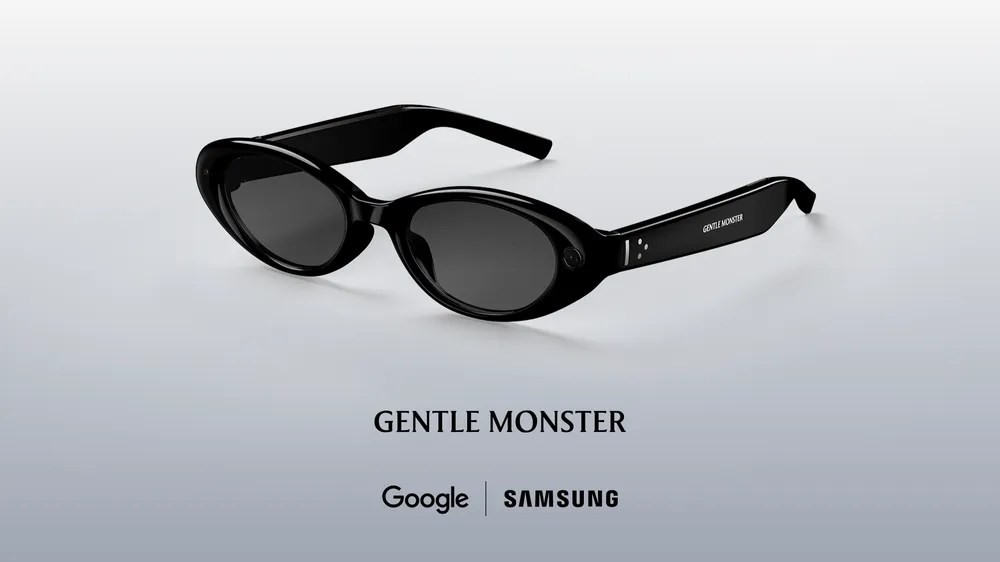
Google dropped their new AI glasses on us this week at I/O. Not the audio-only ones. These are the real deal. Audio and display. They want to put information in your eyes. Not just on a screen. Right there.
The Hardware Looks Rough
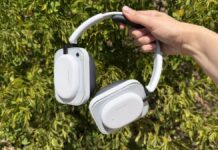
We got our hands on them. Don’t expect polished plastic yet. This is a prototype. Very much so. It feels like someone taped the guts of a future product inside a pair of Warby Parkers. They skipped the cosmetics to focus on battery life and the display tech. Fair enough. But it’s not ready for the street. Not even close.
It doesn’t know if it’s on your head or off your desk. Annoying. But we’re looking past the ugly fit for now.
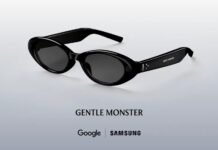
The partnership here is interesting. Samsung. Warby Parker. Gentle Monster. Google provides the smarts, they provide the style. The audio-only version hits stores this fall. This visual beast? Still a way off. But it works with iOS. That’s a relief. No Apple tax here, yet.
Activation is Weird
How do you talk to the AI? Press the right temple. Hard. For two seconds. You hear a chime. Gemini is listening. And in this demo version? The camera turns on automatically. Spooky? Maybe. You’ll be able to change that in the real version. Probably.
To kill music? Tap the temple once. Like you’re hitting a vein.
Sound Quality: It’s “Good Enough”
We asked it to play some music. The room was loud. Terrible acoustics. I turned the volume to eleven. Still barely heard the vocals. It’s crisp. It’s clear. But don’t bring these to a concert. Don’t replace your AirPods.
Use them for walking. Hiking. Cleaning the garage. The win? Open ears. Someone can talk to you without you digging for transparency mode buttons on AirPods Pro. It’s situational awareness baked in.
The Visuals are Fuzzy
One display. Over the right eye only. The home screen pops up. Weather widget. Countdown clock to the end of the conference. It’s a start. You can build quick launchers for Maps or Translate if you really want.
The image? A little muddy. Blurry. Maybe my prescription contacts are to blame. One lens for near, one for far. When I squinted and closed my left eye, it sharpened. Then my forehead hurt. Eye strain sets in fast. We’ll see how this settles in production.
Translation Magic
This was the highlight. Absolutely the highlight.
A demo guy spoke rapid Spanish. Fast. Aggressive. The glasses caught it. Detected the language. Translated the text right onto my retina in English. While Gemini spoke the audio into my ear simultaneously.
Imagine walking through Tokyo or Barcelona with this. No app opening. No switching screens. Just understanding.
“Take a photo and turn this person into an anime character.”
You can say that. Just like that. The glasses take the shot. Send it to the cloud (Nano Banana servers involved here, don’t ask). You wait 45 seconds (the Wi-Fi at I/O was terrible, mind you). And bam. You have anime you. Sent to your phone. It works. It’s slow. But it works.
Navigation Without the Screen
We couldn’t walk outside. Security wouldn’t allow it. But we saw how it handles Google Maps.
“Take me to coffee.” That’s all it needs. Even that vague? Works.
Gemini talks to Maps on your phone. There’s a lag. A brief pause. Then directions appear in your periphery. Look forward, see the turn. Look down at your shoes? There’s a map with your blue dot. Spin left and right? The map rotates with you. You get your bearings, look up, and keep moving. The map doesn’t block your vision. It yields. It’s clever. Saved spots like Home are there, too. No re-setup.
Recognizing Stuff (Kinda)
We tried pointing at a Monet print on a shelf. It failed. The camera hadn’t auto-activated in the demo software. We had to fumble with an app to wake it up. Then it still struggled to ID the painting until we stood nose-to-canvas with the signature.
It handled a potted plant fine, though. Asked about a recipe book? Read the page and gave tips. You can do all this with Google Lens today. Yes. You can.
The point isn’t novelty. It’s convenience. No digging for your phone in a bag full of keys and receipts. Just look and ask.
Why Audio Glasses Exist Now
Google admits they aren’t ready. Not yet. The display tech is tricky. Meta is pushing hard. Snap is pushing hard. Google’s playing 4D chess, maybe?
They’re launching audio-first glasses first. Smart spin. They get the hardware out, train users on voice commands, build the app ecosystem. When the screens finally work properly? You’re already hooked.
The audio glasses can still do everything the demo unit did, minus the visuals. Cook dinner? Ask if the chicken is done. The camera sees it, AI tells you. Add groceries from a recipe photo? Done. It’s an ambient computer. A smart companion that wears on your face.
They’ll open up testing later this year. For now? Watch the audio model. It’s the trojan horse. And the screen version? It’s coming. Fuzzy focus and all.
Does it change how you see the world? Not quite yet. But it’s close enough to keep staring at.