


Total AV Total Security isn’t just another antivirus cluttering your hard drive. It is a comprehensive security suite designed to handle everything from malware detection to privacy management. The goal here is straightforward: protect your digital life without turning your computer into a sluggish brick. It targets everyone from solo users guarding personal photos to small business owners protecting client data. The interface is clean. The logic is sound. You get protection, performance optimization, and anonymity tools all in one package.
Why Choose Total AV Total Security for Your Device?
Most people ask the same question: how does this differ from free, basic scanners? The answer lies in the ecosystem. This software doesn’t just scan for viruses. It actively manages your digital footprint. You get a password manager. You get a secure VPN. You get parental controls. It is a holistic approach to cybersecurity.
The real value shows up in the details. Threat databases update daily. This isn’t a theoretical promise; it is a daily operational fact. When a new phishing campaign drops, Total AV knows about it before you click the malicious link. The intelligent scanning engine works in the background, minimizing the impact on your system resources. For families, the parental controls are not an afterthought; they are a core feature. For professionals, the data protection tools are robust enough to handle sensitive files.
“The software distinguishes itself through its constant commitment to maintaining up-to-date protection.”
This responsiveness is critical. Malware evolves rapidly. Static defenses fail quickly. Total AV adapts.
Installation and Cross-Platform Compatibility
Total AV Total Security was built for the modern, multi-device household. You likely have more than one screen connected to the internet. This software acknowledges that reality. It runs on Windows. It runs on macOS. It works on Android. It even functions on iOS.
The installation process is deliberately frictionless. On desktops, you download an executable file and follow the prompts. On mobile devices, you grab the app from the official stores. There is no complex configuration required to get started. The setup wizard guides you through the basics. Once installed, the first thing it does is run a full system scan. This immediate action ensures that any existing threats are neutralized before you resume normal browsing.
If you are looking for older versions for legacy compatibility, do not search for unofficial archives. Contact official support. They can guide you through licensing or compatibility issues. Be aware that there is no open-source version. There is also no native Linux support currently. The focus is squarely on the most widely used platforms. This strategic choice ensures stability and consistent support for the majority of users.
Managing Protection Across Devices
The adaptability of the suite is its strongest asset. Real-time detection adjusts based on your operating system. Manual scans can be scheduled. On a Windows PC, you might set a deep scan for 3 AM. It won’t interrupt your morning work session. On an Android device, the focus shifts to app permissions and data leaks. It monitors banking transactions. It watches for unauthorized app behavior.
iOS presents a different challenge due to Apple’s strict sandboxing. Total AV works within these constraints. It offers proactive monitoring and integrates a VPN for secure browsing. You are not getting the same deep-level file access as on Windows, but you are getting robust network and privacy protection. This consistency matters. You want the same level of safety whether you are on a laptop or a phone.
Family management is where this shines. You can sync settings across devices. Manage permissions for children’s accounts. Monitor activity without being intrusive. For small businesses, this centralization reduces overhead. You are not juggling three different security providers. You have one pane of glass for your entire digital estate.
Hardware compatibility is also considered. The software is optimized to run smoothly on various architectures. It does not demand excessive RAM or CPU cycles. It respects your hardware limits while providing enterprise-grade security. This balance is what makes Total AV Total Security a viable option for aging machines and high-end workstations alike.
The landscape of online threats changes daily. New ransomware variants emerge. Social engineering tactics grow more sophisticated. Having a tool that updates automatically means you are not relying on outdated definitions. You are relying on current intelligence.
Is it perfect? No software is. But it covers the essential bases with a user-friendly approach that rarely requires technical intervention. For the average user, that is exactly what is needed. Protection should be invisible until it is needed. Total AV aims for that standard.
What happens when a zero-day exploit hits? The automatic updates kick in. The threat is blocked. You barely notice. That is the ideal scenario. It keeps the friction low and the safety high. Whether you are securing a single tablet or managing a network of laptops, the core principle remains the same: comprehensive protection without the complexity.

Licensing flexibility vs. the big names
Total AV Total Security doesn’t play by the rigid rules of legacy vendors. While suites like Norton 360 or Bitdefender Total Security often lock you into strict device caps or expensive tiered bundles, this solution leans heavily on modular licensing. You can protect multiple devices under a single account without jumping through hoops. It’s a shift away from the “one license, one machine” mentality that still frustrates users today.
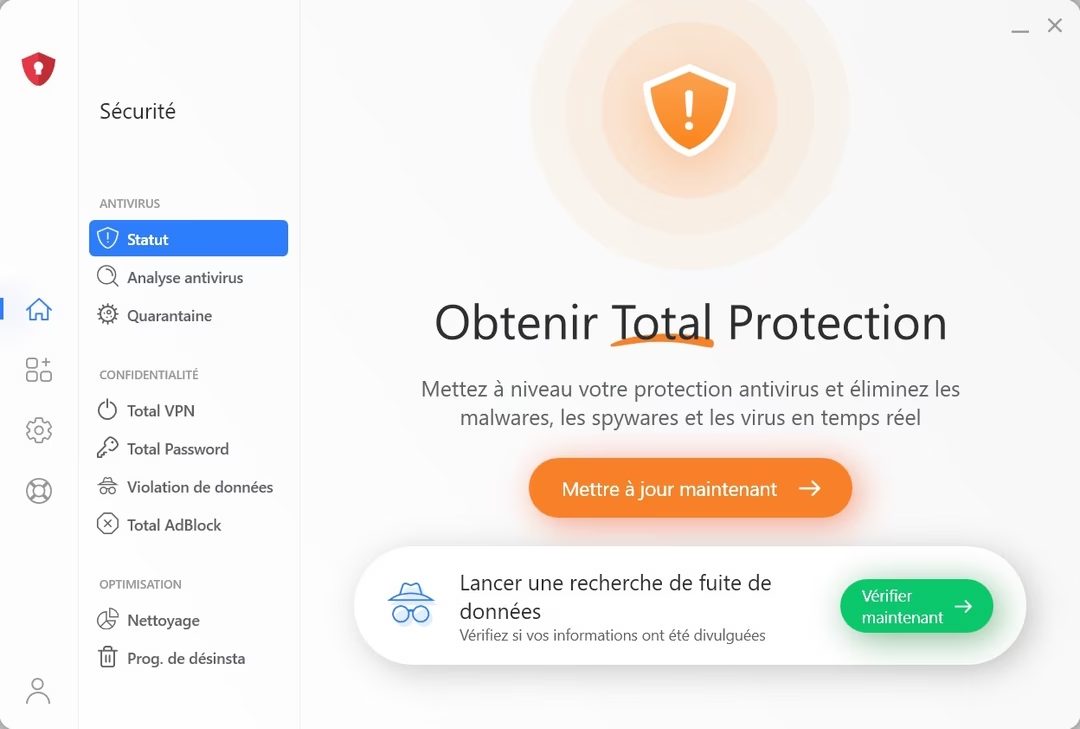
The pricing structure is straightforward. There’s a free tier. It’s basic. But it works. This allows you to test the interface and gauge reliability before committing. For those ready to dive deeper, paid plans unlock the heavy artillery: anti-phishing engines, browser hardening, and an unlimited VPN. The distinction between entry-level and pro features is clear, not buried in fine print.
Simplicity over technical jargon
Why does this matter for everyday users? Because most people don’t want a command-line interface. They want security that runs quietly in the background. Total AV prioritizes a lightweight footprint. It doesn’t tank your system performance or hog RAM while scanning. This stands in stark contrast to bloated suites that slow down older hardware.
Training materials are sparse compared to industry giants. You won’t find extensive certification courses here. Instead, the support documentation is dense but practical. It’s designed for quick mastery. Advanced users can even reach out for personalized support, particularly for license migrations or reverting to previous versions. It’s a pragmatic approach to customer service.
License management and transparency
Managing keys shouldn’t be a headache. Transferring activation keys between machines is seamless. If you upgrade your laptop, the license follows easily. Renewal options—auto or manual—are handled through a secure client portal with zero hidden fees or confusing toggles.
There are specific channels for students and educational institutions. Discounts exist, but they require eligibility verification. It’s not automatic. You have to check with support. This creates a barrier for some, but the savings can be significant for eligible groups.
Proactive AI-driven defense
The real power lies in how it handles threats. Traditional antivirus relies on signatures—matching known bad files. Total AV uses AI to analyze behavior in real-time. It watches how a file acts, not just what it is. This proactive stance neutralizes ransomware and trojans before execution.
Updates are deployed rapidly. When a new zero-day vulnerability emerges, patches are pushed immediately. Installation is a single click. No complex troubleshooting required. The system updates itself so you don’t have to remember to click “update now.”
Centralized control and mobile oversight
A single dashboard manages all alerts. You can toggle advanced features like the Web Shield or startup optimization from one place. There’s no hunting through nested menus. The interface speaks clearly: if a flaw is detected, it tells you exactly what to do.
On mobile, the focus shifts to privacy. It monitors data permissions and secures Wi-Fi connections. It checks if apps are asking for more access than they need. This holistic approach bridges the gap between desktop security and mobile privacy concerns.
No official cert, but proven results
The software doesn’t hold official security certifications from major bodies. It doesn’t need to. Independent tests back its performance. The vendor is transparent about these results. Users can verify efficiency claims against third-party benchmarks.
It’s a robust, accessible tool. It fits into a fragmented digital life. You get protection without the bloat. The question remains whether this simplicity sacrifices depth for the most paranoid users. For most, it strikes the right balance.
Total AV Total Security specs: what actually runs under the hood
Most people skip the fine print. They click “download,” install, and hope for the best. That works until your bank account gets drained by a phishing scam or your laptop chugs to a halt. Total AV Total Security isn’t just an antivirus. It’s a full security suite designed to keep Windows, macOS, Android, and iOS devices from turning into digital liabilities.
The question isn’t just “does it work?” but “where does it fit?” The answer lies in the architecture. TotalAV, operated by the Protected.net Group, builds this as a cross-platform beast. You get native protection for x8-64 desktops and ARM-based mobile devices. Linux users? Out of luck. It simply doesn’t support Linux. If you’re running a Debian server or a Kali box, look elsewhere.
How Total AV Total Security handles updates and activation
Updates are the lifeblood of antivirus software. Stale definitions mean stale protection. Total AV handles this automatically. You don’t need to manually hunt for patches. The software checks in, downloads the latest threat intelligence, and applies it in the background. You can trigger a manual check if you’re paranoid or just saw a news alert about a new zero-day.
But there’s a catch. Internet connectivity is mandatory. Not just for the initial install, but for daily operation. You need a live connection to activate your subscription, sync settings across devices, and use the integrated VPN. If you’re offline, you’re blind. The activation process requires a TotalAV account. No account, no protection. This ties your license to a specific identity, ensuring that multi-device plans (which vary by subscription tier) actually enforce their limits.
Core features beyond basic scanning
The marketing promises “comprehensive security.” The reality is a bundle of tools. Here is what you actually get inside the box:
- Real-time protection: Monitors file access and application behavior as they happen.
- Anti-phishing: Flags deceptive URLs before you click.
- Behavioral detection: Looks for malware acting strangely, not just files with known bad signatures.
- Ransomware shield: Blocks encryption attempts on your critical folders.
- WebShield: A browser extension that adds a layer of safety to web traffic.
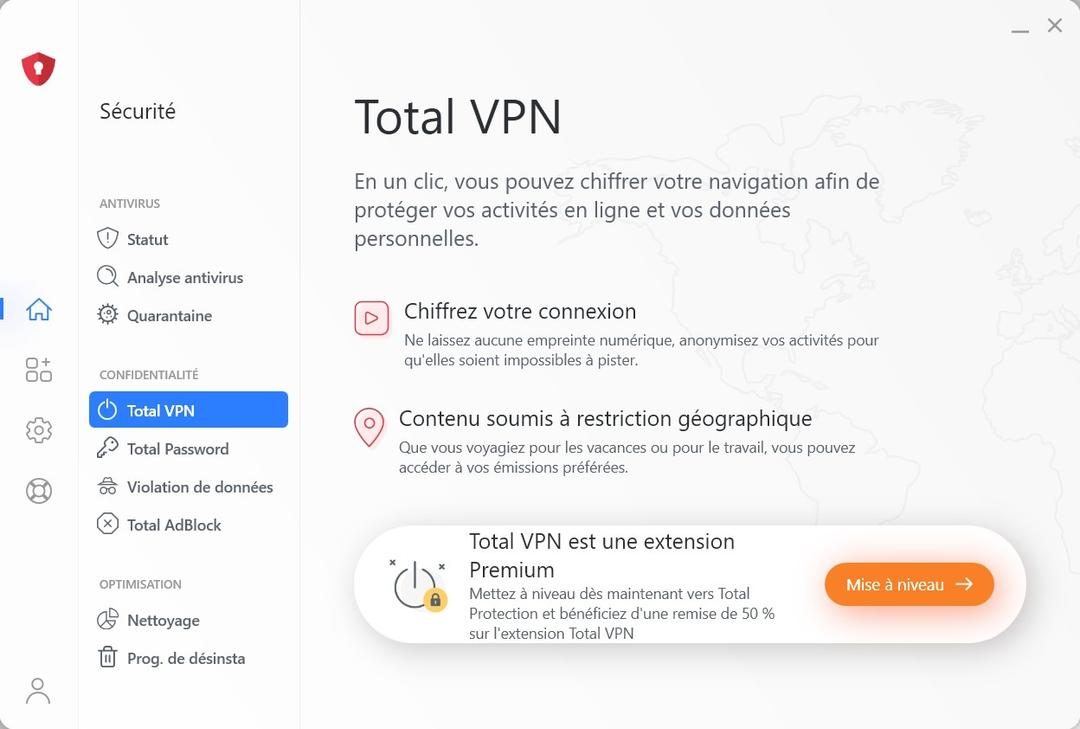
- VPN: Encrypted tunnel for your public Wi-Fi sessions.
- Password manager: Stores credentials so you don’t have to.
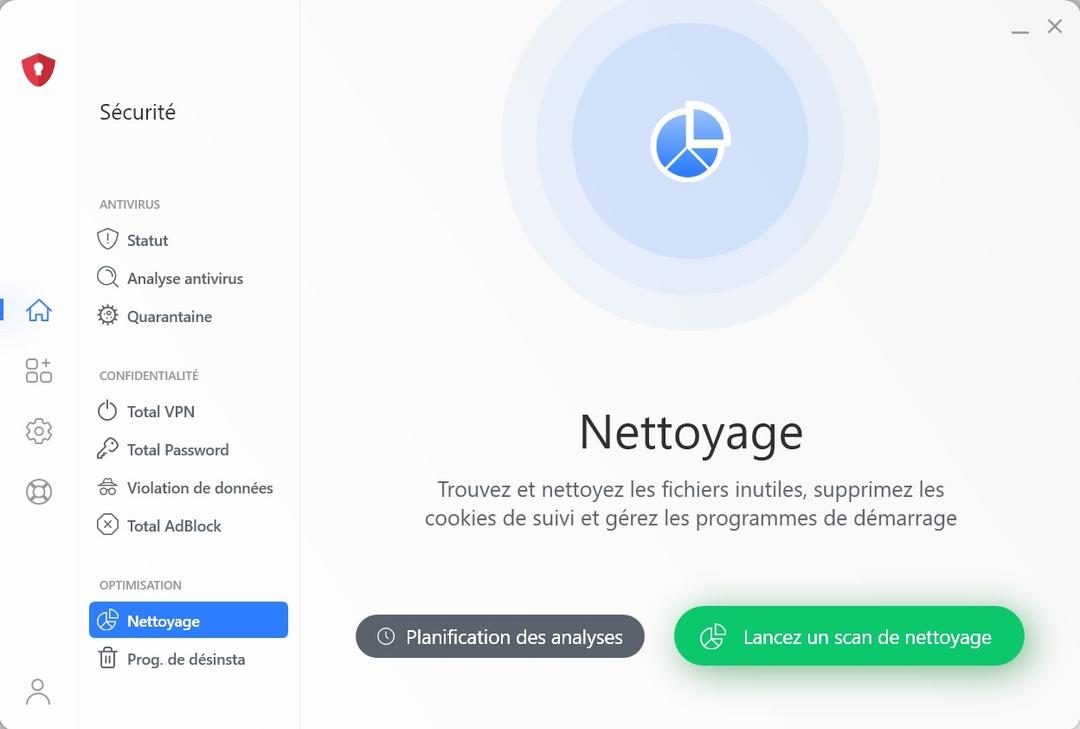
- Optimization tools: Cleans junk files to free up space.
The interface supports multiple languages, including French. That’s a nice touch for European users, but it doesn’t change the underlying engine. The core remains proactive. It doesn’t wait for a scan to finish to start protecting you.
Installation and compatibility realities
On Windows and macOS, you get a dedicated installer. It’s not an app you drag into the Applications folder. It’s a full install process that registers system services. On Android and iOS, you download it from the official stores. This keeps the mobile versions sandboxed and secure, adhering to platform-specific restrictions.
The architecture shifts depending on the device. Desktops use x8-64. Phones use ARM. This isn’t just technical jargon; it means the malware signatures and optimization algorithms are tailored to the hardware. You aren’t running a one-size-fits-all binary on every screen.
Why this matters for everyday users
You’re not a sysadmin. You don’t care about the kernel. You care that your credit card doesn’t get stolen. Total AV Total Security aims to provide that peace of mind through a subscription model. You pay, you get updates, you get support.
The support structure includes a knowledge base, online assistance, and customer service. If something breaks, you have channels to fix it. The privacy policy dictates how your data is handled. Always read that. Your browsing habits are valuable. Knowing who sees them matters.
This summary strips away the version numbers. They change. The core promise remains: proactive protection, seamless updates
The Hidden Cost of Convenience in Modern DevOps
We assumed automation was the silver bullet. It promised speed. It promised scale. It promised we could sleep at night.
Instead, we got complexity.
The promise of Infrastructure as Code (IaC) was that you could treat your servers like disposable commodities. Spin them up. Destroy them. Rebuild them. But the reality of managing Kubernetes clusters across three cloud providers isn’t that simple. It’s a tangle of dependencies you can’t see until everything breaks at 3 AM.
This is where the “click-ops” mentality dies a quiet death. You can’t just click a button anymore. The buttons are gone. In their place are YAML files, Terraform states, and Helm charts that look increasingly like ancient runes.
The State Management Trap
Why do deployments fail? Often, it’s not the code. It’s the state.
When you manage infrastructure manually, you know what’s running. You remember you tweaked that security group. With IaC, the tool assumes you never touched anything outside the code. If someone logs in and changes a setting — even for a “quick fix” — the state file diverges. The next apply command will try to overwrite reality, or worse, delete resources that shouldn’t be deleted.
The industry response? Remote state backends. S3 buckets. Azure Blob Storage. They help, but they don’t solve the fundamental trust issue. Who owns the state? Who can edit it?
“Automation without observability is just faster failure.”
This isn’t a theoretical problem. It’s why you see teams doubling down on GitOps. By keeping the desired state in Git, you force a review process. You create an audit trail. You stop guessing why production looks different from staging.
The Observability Gap
You can deploy in seconds now. But can you debug in seconds?
Most teams treat logging and monitoring as afterthoughts. Add a metric here. A trace there. Hope the dashboard looks pretty. But when latency spikes, you need more than a graph. You need context.
The shift here is toward distributed tracing. Not just seeing that Service A called Service B, but seeing the exact query that timed out. The specific network hop that failed. The memory leak in the container that started three hours ago.
Tools like OpenTelemetry are becoming the standard because they’re vendor-neutral. They don’t tie you to a specific SaaS provider. That matters. Because if your monitoring tool goes down, your whole operation goes dark.
Security as a Bottleneck (and Solution)
DevOps was supposed to break down walls between dev and ops. Security often gets stuck in those walls.
The “Shift Left” movement isn’t just a buzzword. It’s survival. Scanning containers for vulnerabilities before they hit production isn’t optional anymore. It’s basic hygiene. But it’s not just about finding CVEs. It’s about understanding supply chain risks.
How do you know the library you pulled from npm three weeks ago isn’t compromised? You need SBOMs — Software Bill of Materials. It’s like an ingredient list for your code. Regulators are starting to care. Customers are starting to ask.
The Human Factor in a Automated World
Here’s the uncomfortable truth.
The more complex your stack becomes, the more you need humans who understand *


